Unlock Blue Cart Bestie at 50% Off (PROBESTIE50)
Every University lesson works 100% without buying anything extra. If you want Mama Hales' optional desktop Chrome Extension, an active Stan Store member email unlocks it, and Evolution Pro members get 50% OFF the $29/month founding rate!
What Blue Cart Bestie is, what it does, what it doesn't do, and how to unlock it cleanly.
0:00 Setup · 2:11 Full Studio Tour · 6:23 AI Looks & Making It Yours
💬 The Facebook Reach Secret: Put Your Link in Metricool's First Comment (💬)!
Facebook hides posts with links in the caption. Keep the main post link-free, then tuck your link into Metricool's speech bubble.
NO link here!
Your link shows up in the first comment the moment your post goes live. Shoppers tap right below your photo.
📸 See Real Winning Examples (Walmart, LTK, Pinterest & Facebook)
Real finished graphics made with Blue Cart Bestie. Each badge tells you where that look does best.
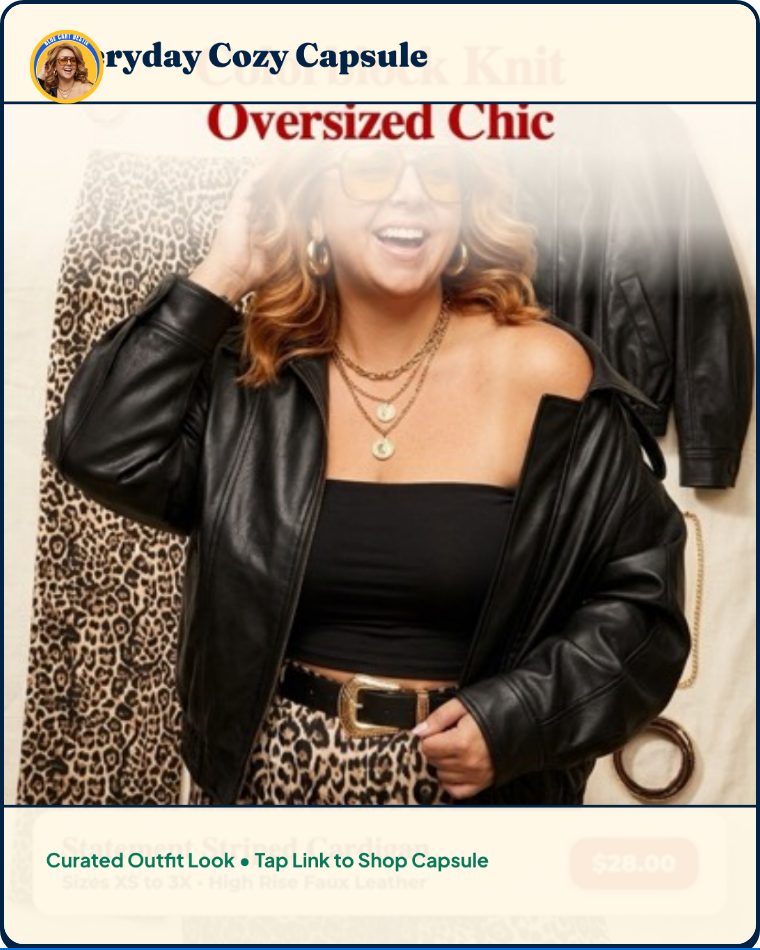 LTK Clean Collage
Clean cream background, every piece lined up so shoppers see the whole look at once.
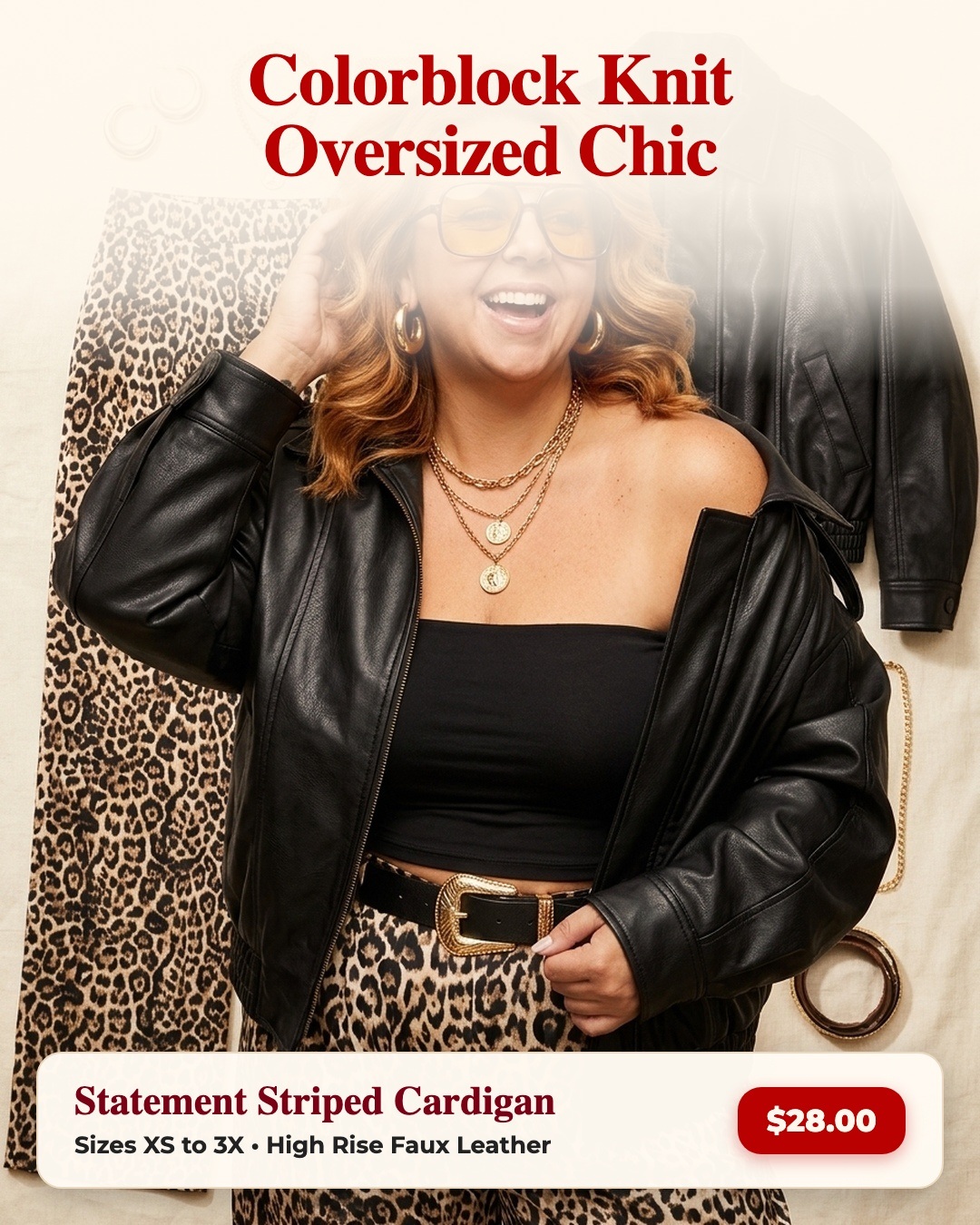 Pinterest Tall Pin
Tall vertical picture with big readable words. People search it, save it and come back to it.
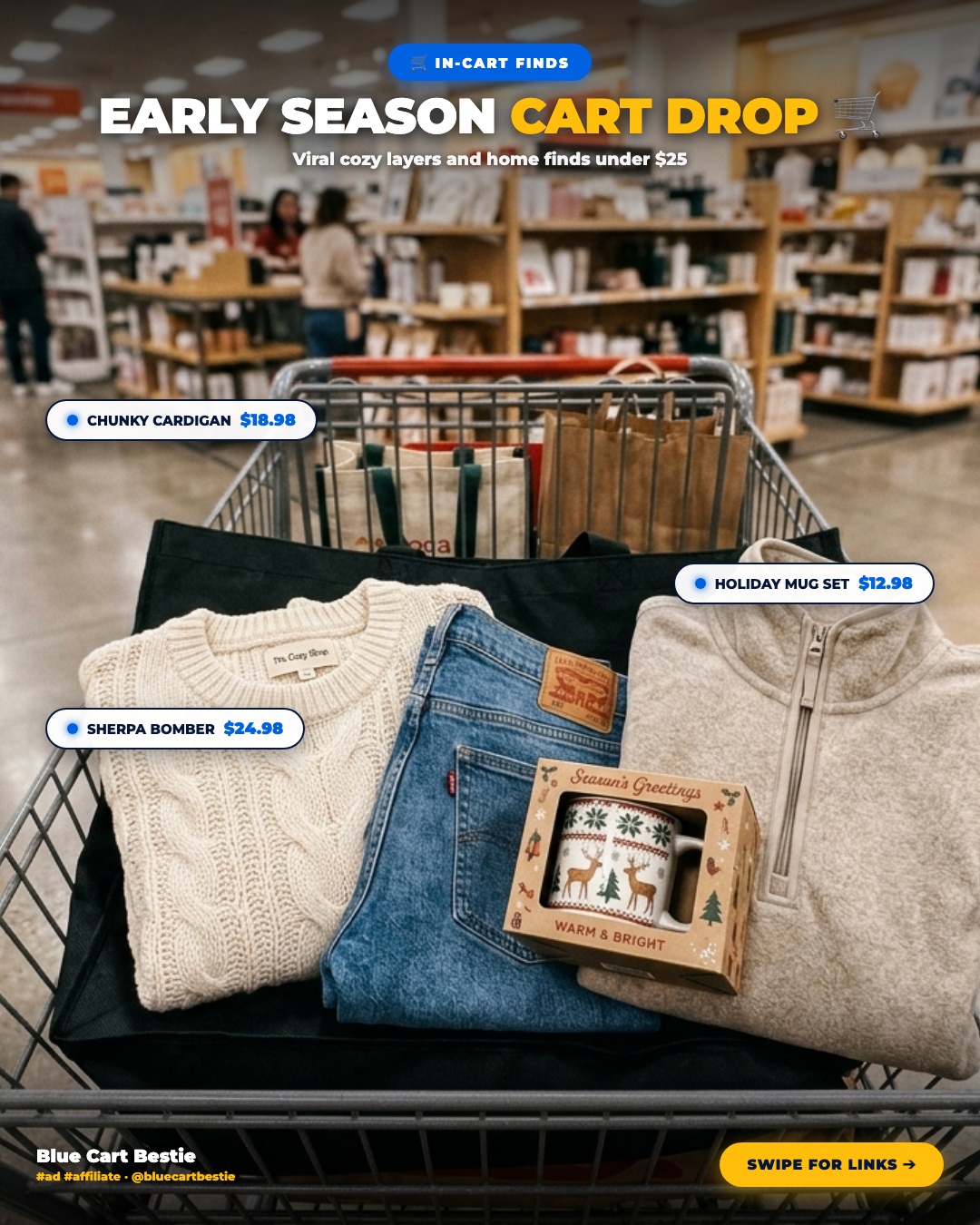 Facebook In-Cart / Real-Life Haul
A real cart photo feels like a friend sharing. Keep the post link-free and put your link in the 💬 First Comment.
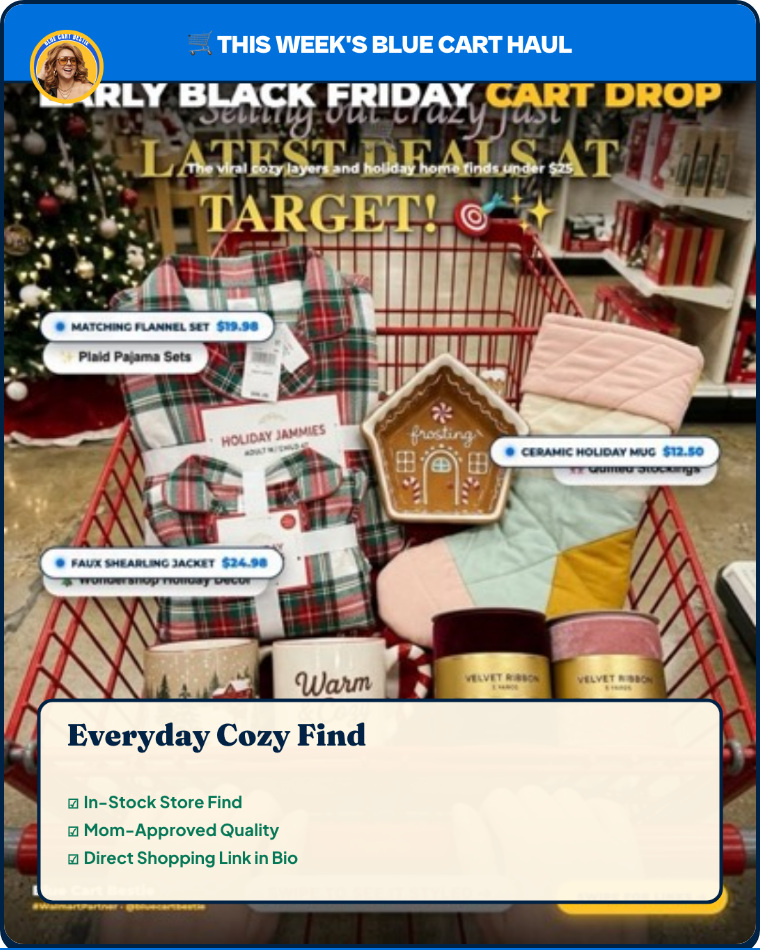 Walmart Cart Haul
Everything in one cart. Great for "look what I grabbed" posts that shoppers can copy.
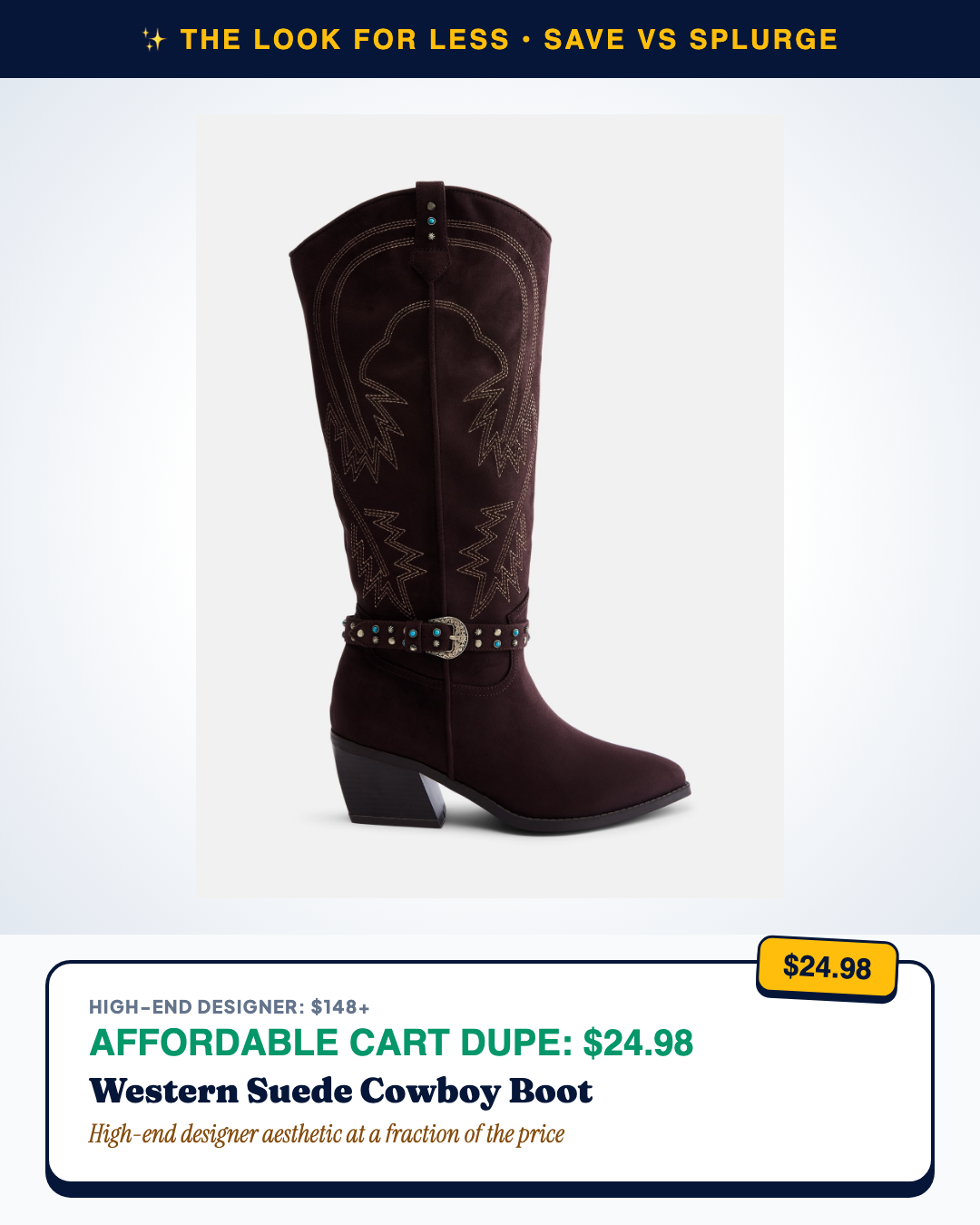 Save vs. Splurge Look for Less
Splurge price on top, your Walmart Look for Less find below it. Easy to understand in one second.
How Everything Fits Together (Your 3-Step Weekly Gameplan)
How Plan Your Week, Daily Drops, In-Store snaps, and Mama Hales' Pinterest Collages work together without overwhelm.
1 · Fill Your 7-Day Baseline
Pick 7 evergreen links (from Pinterest Trends or our Starter Pack) inside 📅 Plan Your Week and tap Save My 7-Day Schedule File. (That file is just a ready-made list of your 7 posts, times, captions & links that you never even open! In Metricool Calendar, click the 3 dots ⋮ → Import CSV and drop it in.) Metricool puts 7 Draft cards on your calendar so you just drop your saved photos onto each card!
2 · Daily Drops + In-Store Bonuses
Your weekly baseline keeps your pages active on busy days! Daily Drops and quick In-Store photos get sprinkled on top as bonus money-makers using Step 3's blue Post Straight to Metricool Calendar button (sends your photo + caption automatically in 1 click! Space FB posts 2 to 3 hrs apart).
3 · Unlock Mama Hales' Pinterest Look
New installs start in 🌱 Simple Mode: On so beginners don't feel overwhelmed. Tap Show All Tools in Step 2 (or Simple Mode at the top right) to unlock 📌 Cutout Collages (Hero Collage, Outfit Board, Wishlist Grid), 📚 21 Series & Drops, and all 29 headline fonts!
v1.9.2 extension right now? Grab it at /install/!
Live Extension Video Walkthroughs (5 Short Demos)
Watch Mama Hales demonstrate the updated Side Panel: 3-click product grabbing, Photo Vault Try-On, 4-platform sizing, Multi-Item Collections, and the built-in Compliance Shield.
Grab an open Walmart tab, build your card + compliant caption, and export in under 60 seconds.
Save your mirror selfie & room photo once, then generate realistic Try-On & Face-Up Cart pins.
Switch between Pinterest (2:3), Feed (4:5), Stories/Reels (9:16), and Facebook 1st-Comment mode.
Connect an open collection and build multi-product holiday & everyday collages in seconds.
How Bestie flags Section 3.A banned words (like replacing "dupe" with "Look for Less") and locks #WalmartPartner upfront automatically.
Install from Chrome Web Store & Pin to Your Toolbar
1-click official install with automatic updates (plus Load Unpacked help).
Install directly from the Official Chrome Web Store (zero zip files needed!). Then click the puzzle piece icon 🧩 at the top right of Chrome, locate Blue Cart Bestie, and click the blue pin icon 📌 so it stays right beside your address bar.
Grab Any Product, Open Collection, or Free Sample
Pulls high-res photos, price, title, and compliant FTC hashtags automatically.
Open any product on Walmart, Sam's Club, Target, Amazon, LTK, or Mavely and tap 🛒 Grab from open tab (or paste any affiliate link and click Grab). Want a multi-item grid? Tap ➕ Add item from open tab or Connect open collection!
Testing your layout first? Tap any of the 4 pre-loaded real-photo sample buttons (🧶 Sweater Try-On, 🏠 Home Cart (Face-Up), 👖 Outfit Flatlay, or 🎁 Under $15 Gift Set) to see finished graphics immediately.
4 Studio Tabs: AI Try-On, Face-Up Cart & Cutout Collages
Create faceless cards OR put outfits directly on your saved selfie from the couch.
Switch effortlessly across all 4 creator modes inside your side panel:
Upload your Mirror Selfie, Face, and Home Room once into your Photo Vault (Save my photos). Then tap 🪞 Put Outfit On Me for 1-click virtual try-on, or 🛒 Face-Up Cart (✨ Auto Smart, 📦 Face-Up Tilt, or 👕 Folded Flat)!
Build multi-item gift guides and clean collages with 1-tap product rotation (📦 Face-Up Tilt, -90°, -15°, +15°, ⇄ Flip) and toggle 💵 Price on pin: On/Off anytime.
Pick from 21 repeatable creator series formats (Porch Hauls, Cart Restocks, Under $25 Finds, Cozy Edits, and Holiday Gift Guides) so your feed stays fresh.
Customize editorial fonts, 10 luxury color swatches, and 1-tap hook chips (🚨 Run to Walmart, ✨ Look for Less, ☕ Cozy outfit, 🏡 Home find, 🏷️ Under $25).
4 Platform Presets + Smart Caption Tone Switcher
Sized and written specifically for Pinterest, Feed, Stories/Reels, and Facebook.
• Pinterest: 2:3 vertical pin + 📋 Copy Title & 🔗 Copy Link
• IG/FB Feed: 4:5 portrait
• Stories & Reels: 9:16 vertical + 🏷️ Copy Sticker URL
• Facebook Reach Mode: Toggle 💬 Link in 1st Comment (Best Reach) + 📋 Copy 1st Comment!
Switch your auto-written caption in one tap between 📌 Make it Pinterest SEO, 👗 Make it LTK / Boutique, or 🔥 Urgent Deal Hook with your affiliate link and FTC disclosure preserved.
How to Post Home Products & Pick Your Starting Base Photo (Kitchen, Bedroom & Kids Room)
Turn everyday kitchen appliances, bedding, lamps, and kids decor into magazine-worthy Pinterest & Instagram graphics.
When you grab an air fryer, mixer, lamp, or comforter set, tap 🖼️ Pick photo angle (unboxed vs. box) in Step 1 so Bestie uses the clean product itself instead of a cardboard shipping box!
In Step 2 (🏡 Style in Dream Room), click 🍳 Bright Kitchen Island, 🛏️ Cozy Bedroom, 🧸 Kids Bedroom, or 🛋️ Warm Living Room, OR tap our 1-click Pinterest search chips to grab your own favorite sunlit, uncluttered room inspo (4:5 or 2:3 vertical, zero people, zero text) and save it once!
Never shoot straight down at the blank cardboard lid of a box! Bestie automatically switches home & boxed items to 📦 Face-Up Tilt (45 degrees facing the camera lens) inside 🛒 Cart Haul (Face-Up).
For 🪞 Put Outfit On Me, upload 1 head-to-shoes mirror selfie in bright daylight wearing fitted basics (leggings + fitted tank/tee). Want a 2-piece skirt + cardigan outfit? Tap 👗 + Add 2nd Piece and paste Item #2's affiliate link!
Facebook First Comment Mode (ON Automatically!) & Direct Metricool Bridge
Why we never put external shopping links in Facebook's main description, and how Bestie + Metricool automate it for you.
#WalmartPartner #paidlink + your affiliate link inside the First Comment protects your reach AND boosts comment engagement!
Select 👥 Facebook (1st Comment ON) and click 📅 Post Straight to Metricool Calendar. Bestie attaches your graphic in memory, fills your 100% link-free main caption, AND automatically clicks Metricool's speech-bubble icon (💬 Add first comment), types your affiliate link + disclosure, and clicks Accept! (Look for the tiny dot on Metricool's 💬 icon right under the caption box to verify!)
Tap 📅 Plan Your Week and click ⬇ Save My 7-Day Schedule File. It saves one ready-made schedule file (you never even open it, just click the 3 dots ⋮ → Import CSV inside Metricool and drop it in!) with every main post link-free, every shopping link loaded into Metricool's First Comment box, and your affiliate links 100% protected!
Updated Click-by-Click Quick Checklist (v1.9.2)
For visual learners who want the exact button-by-button flow.
1. Click Add to Chrome on the Official Chrome Web Store.
2. Click the Puzzle Piece icon 🧩 at the top right of Chrome and click the Pin icon 📌 next to Blue Cart Bestie.
3. Click the Blue Cart icon anytime to open your Side Panel beside Walmart.
1. Open any Walmart, Sam's Club, Target, Amazon, LTK, or Mavely product page and click "🛒 Grab from open tab".
2. Pick your size at the top: Pinterest (2:3), Feed (4:5), Stories (9:16), or Facebook (4:5).
3. Title, price, photo, and compliant #WalmartPartner disclosure load automatically!
1. Tap "🪞 Put Outfit On Me" (using your saved Photo Vault selfie), "🛒 Face-Up Cart", or "📌 Cutout Collages".
2. Tap a compliant hook chip like "🚨 Run to Walmart" or "✨ Look for Less" and pick your caption tone.
3. On Facebook, choose "💬 Link in 1st Comment (Best Reach)" if you want maximum feed reach!
1. Click "📅 Post Straight to Metricool Calendar" or "🎬 Send 9:16 Reel (.mp4) + Caption to Metricool".
2. Filling a whole week at once? Click "📅 Plan Your Week" → pick 1, 2, or 3 posts/day → "⬇ Save My 7-Day Schedule File" (then inside Metricool click the 3 dots ⋮ → Import CSV and drop that file in)!